Spoiler: it is not, but I still use it.

I’ve been using On1 for several years and found it was a credible alternative to Lightroom. It has powerful features for both RAW processing and digital assets management which fit my needs just right. But then I bought a new camera: the beautiful Fujifilm X-T5 and that’s where I started bumping into some issues.
But first, a disclaimer: I am by no means a professional photographer and to be fair, both the camera and On1 are overkill for me. My typical use case involves slight editing, if any, to recover shadows and highlights.
One noticeable change when you switch to a 40-megapixel camera is that files become bigger. Much bigger. The X-T5 offers several options in terms of file format which allow to reduce the size of your images, to a certain extent:
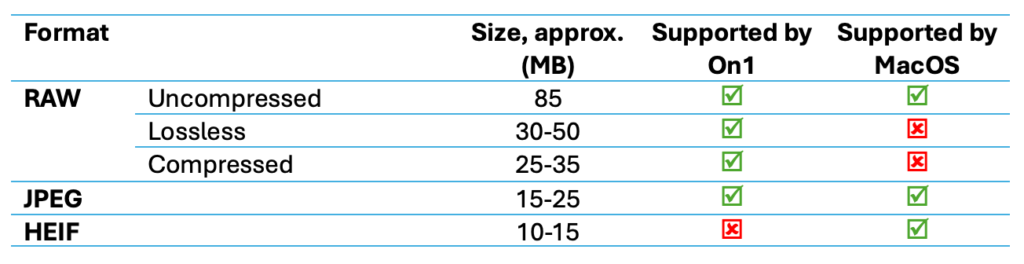
Unfortunately, Fuji’s HEIF files (.HIF) are not handled well in On1: the preview is blank until you’ve opened the image, and zooming doesn’t work. I am not sure whether it’s a bug and if yes, whether it’s Fuji’s or On1’s fault. Anyway, for now, it’s not a viable option which is a shame because HEIF is more compact and it has 10-bit color depth. To be fair, their web site says it supports “Apple HEIC”, not HEIF.
As I want to maximize compatibility, that leaves me with few options, namely Uncompressed RAW + JPEG.
How do I shoot
Fuji’s film simulations are great, and I tend to keep more JPEGs without retouching than I used to with my old Nikon.
I still record RAW in case more processing is needed. I find that the RAW image processed with ‘On1 Standard’ profile is dark and pale and need a lot of adjustments to really shine. And even after editing, quite often I still find the camera-processed JPEG more beautiful.
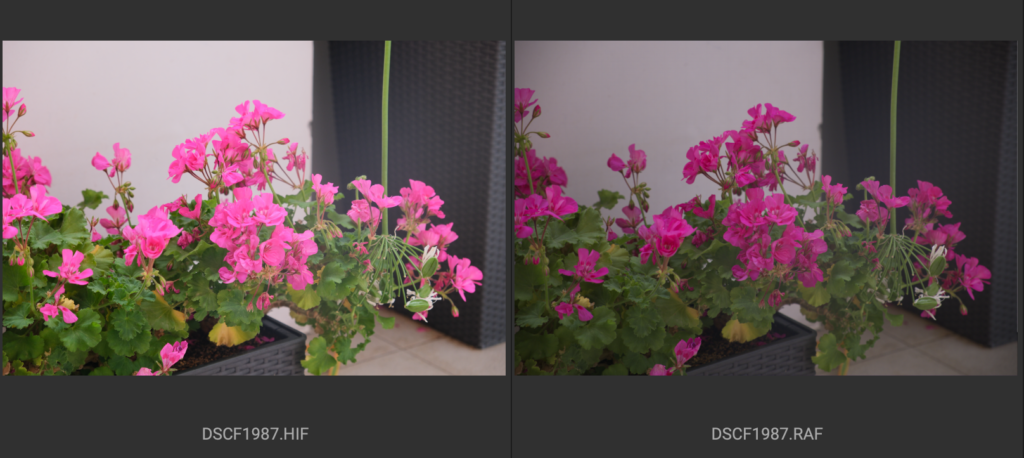
Apple Photos makes the RAF look even darker, before adjustments.
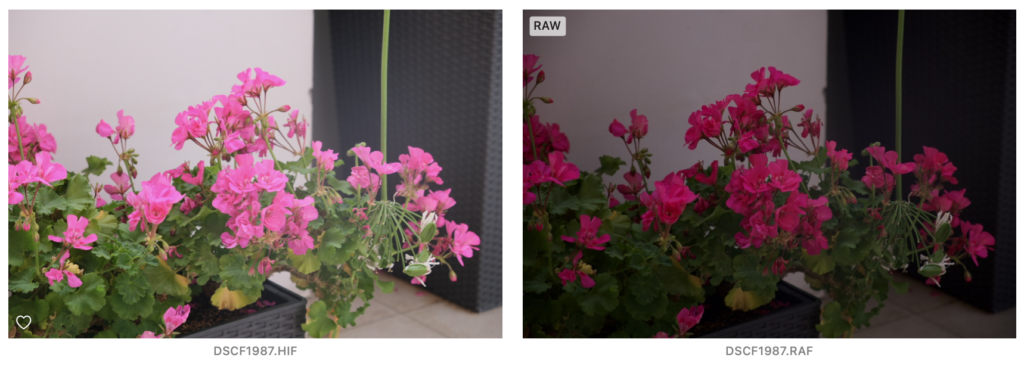
On the positive side, On1 lets you apply camera profiles (which Apple Photos doesn’t). Here’s an example with Provia applied to the RAF in On1.
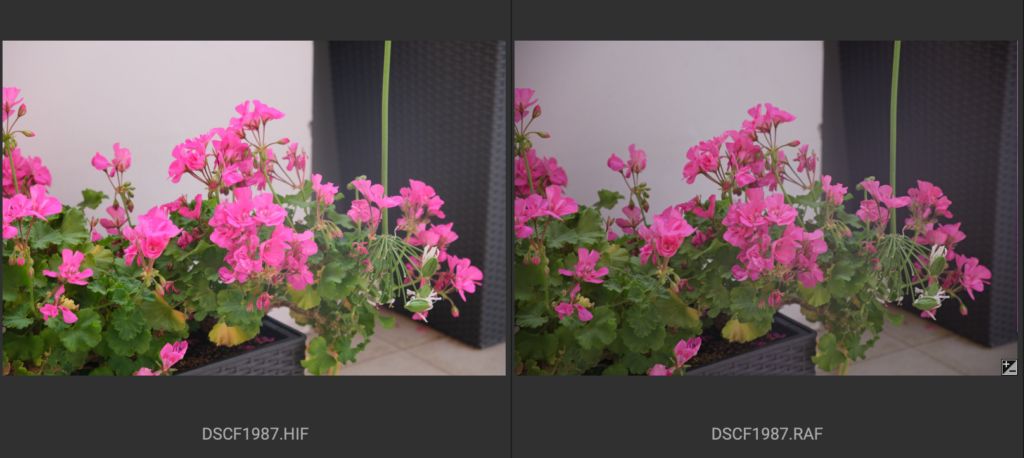
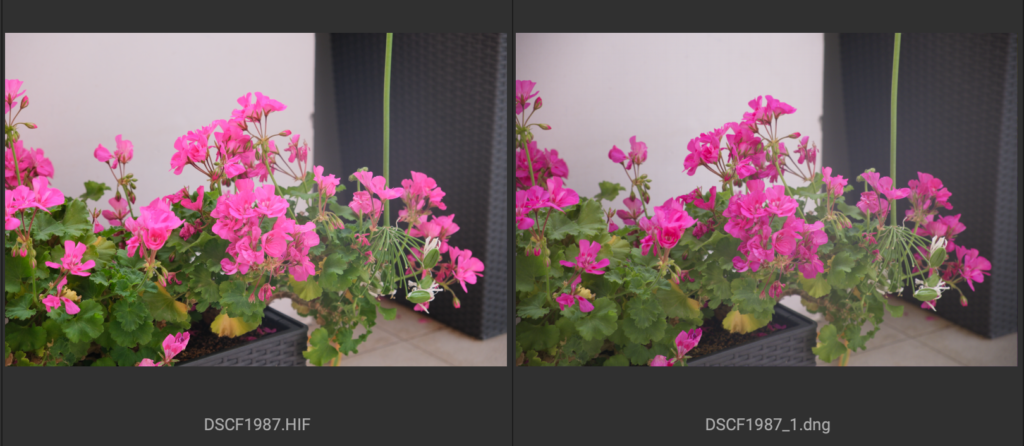
You can notice that the result differs slightly from the same profile applied in-camera.
Bonus tip: convert RAW files to DNG
Adobe offers a free (!) DNG converter that you can download here and I found that is solves most of my issues:
- Looks good out of the box
- More compact – size is about 60 MB
- Wider compatibility which is DNG’s selling pitch
- Better performance – although I haven’t measured it, operation seems to be smoother
Conclusion
There are two significant drawbacks: I can’t use HEIF and RAF processing is less than optimal. I hope one day both will be solved, and I haven’t found a better alternative for now (not considering LR). In the meantime, here’s my workflow:
- Shoot uncompressed RAW + JPEG
- Convert RAW to DNG
- Use camera-generated JPEGs (mostly) and edit DNGs when really needed, e.g. very under/over exposed areas
Would be happy to learn if anyone had to face such issues and what solution you found.
Tested using On1 Photo RAW 2025.2 and firmware 4.31 on an M1 iMac
